Suite Astrocitas

A curated catalog of PixInsight tools for OSC dualband and narrowband astrophotography: extract clean emission-line channels with DBXtract, then explore and refine color palettes with AutoPalette Studio.

AutoPalette Studio v1.2.0 DBXtract v1.7 PixInsight 1.9.x / V8 ready OSC dualband · mono narrowband

Script catalog

Two complementary scripts with a shared Astrocitas visual identity and a workflow designed for emission-line processing.

AutoPalette Studio icon

AutoPalette Studio

Interactive narrowband palette creation

Explore classic and physically-inspired narrowband color combinations from OSC dualband RGB images or existing mono Hα/OIII/SII channels. Generate previews, tune cosmetic controls, build masks and export the selected final RGB image inside PixInsight.

  • Preview-driven workflow with Original, Classic HOO, Foraxx Classic and Foraxx HOS variants.
  • Boosted and advanced controls for channel balance, tone, saturation and cyan/gold rendering.
  • Designed to work after DBXtract or directly from OSC dualband and mono narrowband sources.
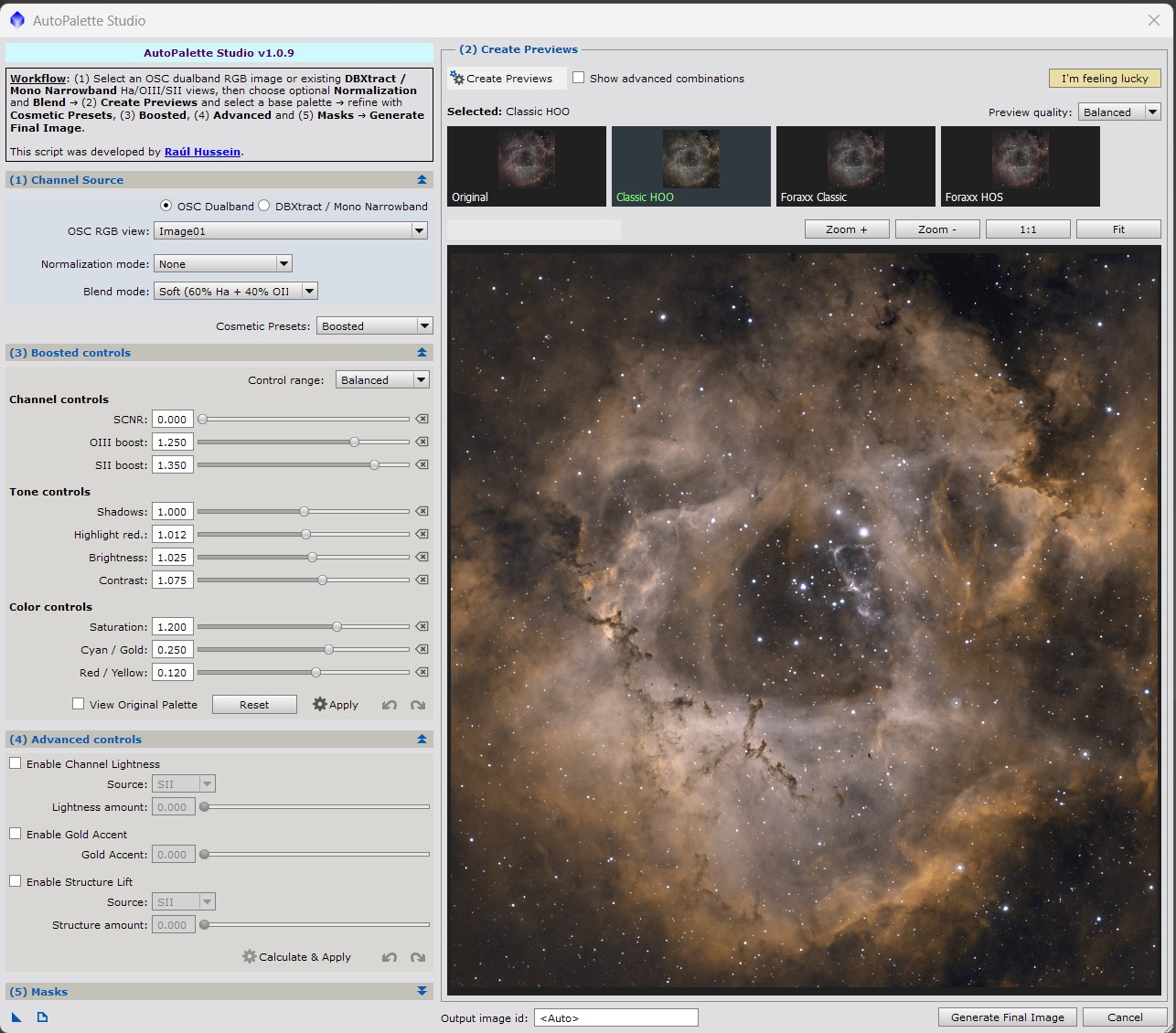
AutoPalette Studio dialog in PixInsight
DBXtract icon

DBXtract

Dualband channel extraction for OSC data

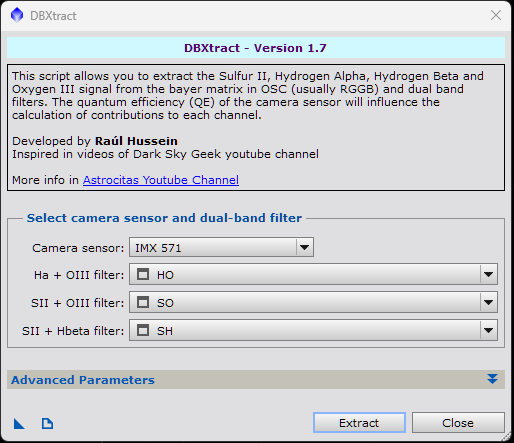
Extract SII, Hα, Hβ and OIII signal from OSC cameras and dualband filter acquisitions using sensor response coefficients and band-specific corrections. The output channels can be processed independently or used as input for AutoPalette Studio.

  • HO, SO and SH/Hβ workflows for extracting independent emission-line channels.
  • Sensor-aware coefficients with manual customization for advanced calibration scenarios.
  • Native V8 runtime support for modern PixInsight installations on Windows and macOS.
DBXtract dialog in PixInsight

Recommended workflow

DBXtract and AutoPalette Studio can be distributed together because they solve consecutive stages of the same OSC dualband workflow.

1 · Extract channels

Use DBXtract to transform OSC dualband masters into independent Hα, OIII, SII and Hβ channel views.

2 · Create palettes

Open the extracted channels in AutoPalette Studio, compare previews, tune the look and generate the final image.

PixInsight update repository

Replace this placeholder with the final Suite Astrocitas repository URL before publishing:
https://suite.astrocitas.com/

  1. Open PixInsight and go to Resources → Updates → Manage Repositories.
  2. Add the Suite Astrocitas repository URL.
  3. Run Resources → Updates → Check for Updates.
  4. Install AutoPalette Studio, DBXtract, or both.

Latest highlights

AutoPalette Studio v1.2.0Interactive preview area, boosted controls, masks and final image generation.
DBXtract v1.7Native V8 runtime support and validation on PixInsight 1.9.4 across Windows and macOS.